
Stop Emailing Real Customers From Staging: A Quarter-End Fire Drill, Solved
A quarter-end rollout almost sent test invoices to real clients. Here's how an SMTP sandbox would have caught it before it ever left staging.
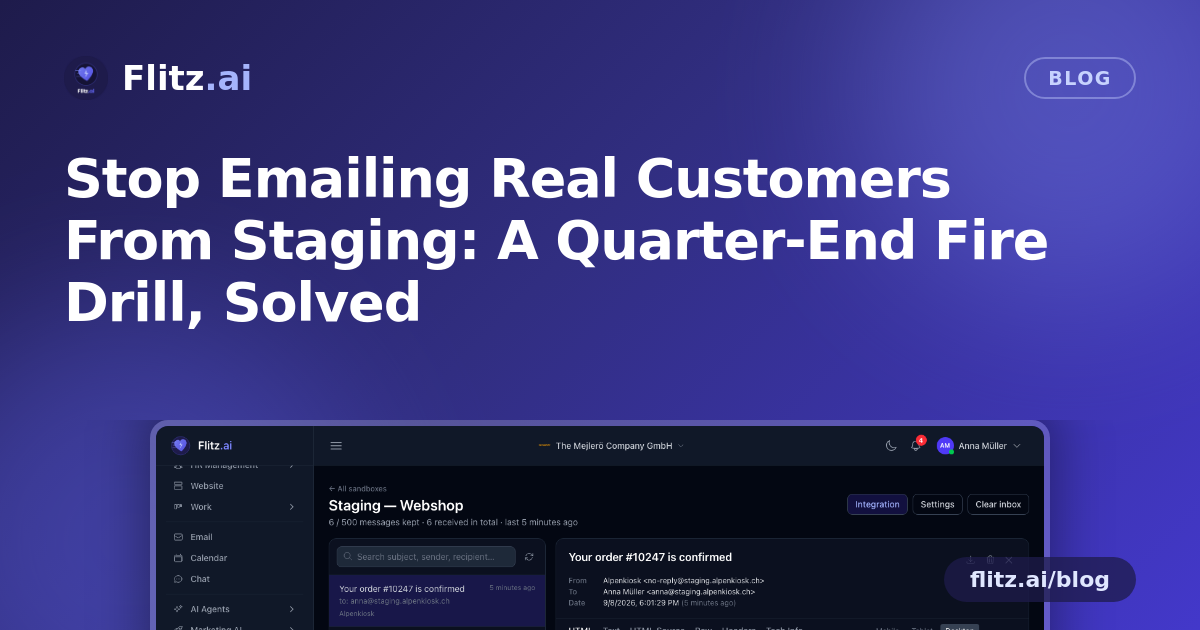
Picture a small Swiss accounting firm, somewhere between Zurich and Bern, in the last week of a quarter. The team has just rolled out an update to their client portal: a new automated reminder for outstanding invoices, triggered the moment an invoice crosses its due date. Nobody tested the actual email that goes out — just the logic that decides when to send it. On a Friday afternoon, someone on the team notices the staging environment has been quietly pointed at the production mail server all week. A handful of test invoices, with placeholder amounts and fake client names, have landed in real inboxes.
This is a purely illustrative scenario, but if it sounds plausible, that's because almost every growing SME eventually hits some version of it. Staging environments need to send email to prove the logic works — password resets, invoice reminders, onboarding messages, MWST statements — but nobody wants that email to risk reaching an actual customer or supplier. The usual workaround is worse than the problem: disable outgoing mail entirely and hope the developer's assumptions about formatting were correct, or use a personal inbox as a dumping ground and lose track of what was actually sent.
What a Real SMTP Sandbox Changes
Email Testing solves this at the source. Instead of pointing a staging app at a real mail server, the team pastes a dedicated SMTP login into their application config. Every message the app tries to send — reminders, resets, confirmations — lands in a shared sandbox inbox inside the workspace instead of a real mailbox. No customer ever sees a test email again, and no one has to remember to flip a switch before a demo or a deploy.
Each project or environment gets its own sandbox, so a fiduciary running staging, UAT and a client-specific pilot at the same time isn't mixing messages between them. A new hire setting up their local development environment can be handed sandbox credentials on day one, send as many test emails as they like, and never come close to a real customer's inbox.
Walking Through the Quarter-End Rollout, Properly
Back to the invoice reminder feature. Done properly, here is what the workflow looks like with a sandbox in place:
- Before the rollout, the developer triggers the reminder manually against staging. The email appears in the sandbox inbox within seconds — no waiting, no checking a personal account.
- Design review happens on the spot: the HTML preview renders the email at mobile, tablet and desktop widths, so the team can confirm the CHF amount and due date are legible on a phone screen, which is how most clients will actually open it.
- The office manager checks the plain-text alternative, since some client mail clients still fall back to it, and confirms it isn't just a broken wall of HTML tags.
- Something looks off in how one client's name is rendering — a special character issue. Instead of guessing, the developer opens the Headers and Raw tabs to see exactly what encoding the app sent, and downloads the .eml file to replay it locally.
- Before the audit-ready quarter-end close, the team searches the sandbox inbox by subject and recipient to confirm every test client in their fixture data received exactly one reminder — no duplicates, no silent failures.
None of this requires a second mail server, a disabled SMTP config, or a round of "did you get my test email?" messages between colleagues. The inbox is shared and live, so whoever is reviewing sees the same thing the sender does, in real time.
Handling the Awkward Infrastructure Cases
Not every environment can open an outbound TCP connection on an SMTP port — CI runners and serverless hosts are common culprits, and they're exactly where automated tests for email-triggered features tend to run. Email Testing includes an HTTPS ingest endpoint that accepts the same credentials, so a nightly CI job verifying that the invoice reminder fires correctly can post straight to the sandbox over HTTPS without any firewall exceptions.
Sandboxes don't grow forever either. Each one has an inbox cap with oldest-first eviction and automatic retention pruning, so a sandbox used daily for months doesn't quietly become a storage liability nobody remembers to clean up.
Why This Matters Beyond the Quarter-End Panic
The underlying problem is the same whether it's an invoice reminder, a password reset, or an HR onboarding email: developers and office managers need to see exactly what a customer would see, inspect the technical detail when something's wrong, and do it without ever risking a real send. That's the whole workflow — HTML Source, Raw, Headers, Tech Info, attachments, .eml export — built into the workspace the team already works in, rather than a separate tool with its own login and its own bill.
For Enterprise workspaces, this comes included — no per-inbox or per-message fee stacking up as testing volume grows with the business. Full details on how sandboxes are configured and what each inspection tab covers are on the Email Testing feature page.
The scenario above is illustrative, intended to show a common failure mode and how the feature addresses it — not an account of an actual Flitz customer.