
The End of Excel Timesheets: Why Swiss SMEs Are Ditching Spreadsheets for Smarter Time Tracking
Chasing employees for hours, untangling absence requests, and guessing at billable time at month-end: sound familiar? Here's how to fix it for good.
It's the 28th of the month. You need final hours from the team to close invoices before the MWST deadline. Two people sent an Excel file with the wrong format. One forgot to log last Tuesday entirely. Someone else is on holiday but nobody updated the shared calendar, so you can't tell if a client project was actually worked on or not. Sound familiar?
For many Swiss SMEs, time tracking is still a patchwork of spreadsheets, WhatsApp messages, and sticky notes. It works, technically, until it doesn't: billable hours get missed, absence requests get lost in email threads, and payroll or invoicing ends up delayed because someone has to manually reconcile everything first. The bigger problem isn't the occasional mistake. It's the hours of admin time spent chasing, correcting, and re-entering data that could have been captured correctly the first time.
The real cost of messy time tracking
When time data lives in five different places, three things tend to happen:
- Billable hours leak away. If a freelancer or employee forgets to log a client call or a quick project fix, that time is simply never invoiced.
- Absence conflicts slip through. Without a clear approval workflow, two people on the same team can end up off at the same time, or an absence gets approved verbally and never recorded anywhere official.
- Month-end reporting becomes a reconstruction project. Instead of pulling a report, someone has to piece together hours from memory, emails, and half-finished spreadsheets.
None of this is anyone's fault. It's simply what happens when time tracking isn't built into the same system as your projects, invoicing, and team management.
A calendar you actually want to use
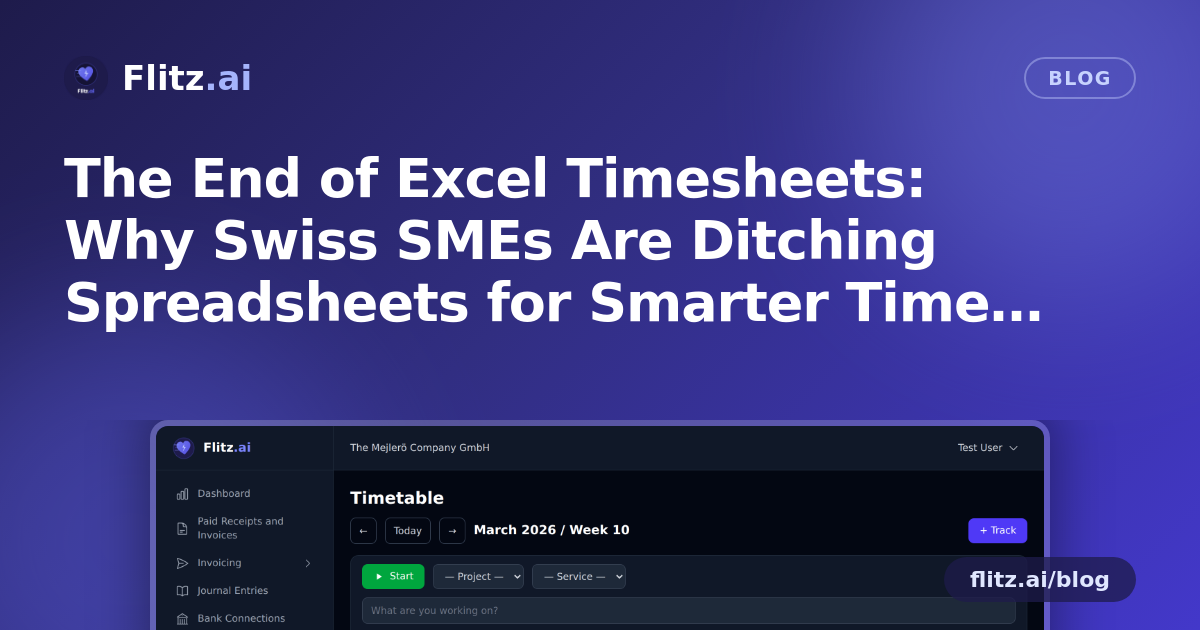
Flitz's time tracking module replaces the scattered spreadsheet approach with a single, calendar-based interface. Instead of typing hours into rows and columns, your team sees their week laid out visually and can drag and drop entries directly onto the calendar. It's quick enough that people actually do it in real time, rather than trying to reconstruct their week from memory on a Friday afternoon.
For work that happens in real time, there's also a start/stop timer. Someone beginning a client call or a focused project task can simply hit start, and stop when they're done. No rounding up, no guessing, no "was it 45 minutes or an hour?" at the end of the day.
Absences without the back-and-forth
Holiday requests, sick days, and other absences are managed through a built-in approval workflow. An employee submits a request, a manager approves or declines it, and the result is visible immediately in the same calendar used for time entries. There's no separate absence spreadsheet to keep in sync, and no risk of a verbal approval being forgotten by the time payroll runs.
Know exactly where the hours go
Because time entries can be tagged to specific projects and services, you get a clear picture of where your team's hours are actually going, not just a total number at the end of the month. This is particularly useful for Swiss SMEs that bill clients by the hour or need to track project profitability: you can see at a glance whether a project is on budget or quietly eating more hours than planned.
From tracked hours to sent invoice
This is where calendar-based tracking earns its keep. Because Flitz connects time tracking directly to invoicing, billable hours logged against a project or client can be pulled straight into an invoice, with no retyping and no risk of transcription errors. What used to be a manual transfer from timesheet to invoice becomes a direct link between the two.
Reports your fiduciary will thank you for
When it's time to close the books, run payroll, or hand data over to your fiduciary, you don't need to assemble anything by hand. Time data can be exported as CSV for further processing, or generated as a clean PDF report for internal records or client documentation. This matters for Swiss SMEs in particular, where accurate, well-documented records make both internal reviews and year-end accounting noticeably smoother.
What this means day to day
In practice, a calendar-based system with drag & drop entry, a live timer, structured absence approval, and a direct link to invoicing means:
- Fewer end-of-month surprises, because entries are made as work happens, not reconstructed later
- No more lost billable hours sitting in someone's head instead of on an invoice
- Absence requests that are visible, approved, and documented in one place
- Reports ready to export the moment you (or your fiduciary) need them
Time tracking shouldn't be the part of running a business that eats up your afternoon. When it's connected to the rest of your operations, from projects to invoicing to HR, it stops being a chore and starts being a source of useful, accurate information you can actually act on.