
Spreadsheets vs. Integrated IT Inventory: What Swiss SMEs Actually Need
Spreadsheets and point tools kept IT asset tracking "good enough" for years. Here's an honest comparison of why integrated inventory, budget, and documentation now wins for Swiss SMEs.
If you manage IT for a Swiss SME — whether as an internal office manager or an external fiduciary handling a handful of client companies — you probably know this routine: a spreadsheet lists the laptops, a different tab tracks the phones, and somewhere in an email thread is the serial number of the monitor that broke last spring. It works, until it doesn't.
Let's be fair to the old way before we dismiss it. Spreadsheets are free, flexible, and everyone knows how to use them. For a very small operation with a handful of devices, a well-maintained Excel file can genuinely be enough. The trouble starts when you scale: multiple customers, multiple locations, multiple people updating the same file — or worse, multiple files that drift out of sync.
The Real Cost of the Spreadsheet-and-Email Approach
The problems aren't dramatic on any single day. They accumulate quietly:
- No single source of truth. When a device is reassigned or retired, someone has to remember to update the sheet. Half the time, they don't.
- Zero live data. A spreadsheet can't tell you a laptop's current OS version, open vulnerabilities, or whether it's even still online. That information lives in a separate patch management tool — if you have one at all.
- Labelling is manual and inconsistent. Asset tags get handwritten or printed ad hoc, with no link back to a record. Finding out which spreadsheet row corresponds to the laptop in front of you means searching by serial number.
- Customer self-service doesn't exist. If a client wants to check their own device list, that means another email, another export, another delay.
- Point tools don't talk to each other. Your patch management software, your asset list, and your documentation all live in different places, and nobody has time to reconcile them.
None of this is anyone's fault — it's just what happens when tooling hasn't caught up with how many customers and devices a small IT-adjacent business actually handles.
What an Integrated Approach Changes
This is the gap that Flitz's IT Management module is built to close — not by adding another disconnected tool, but by folding inventory, patch visibility, and documentation into the same platform where you already handle invoicing, CRM, and the rest of your business.
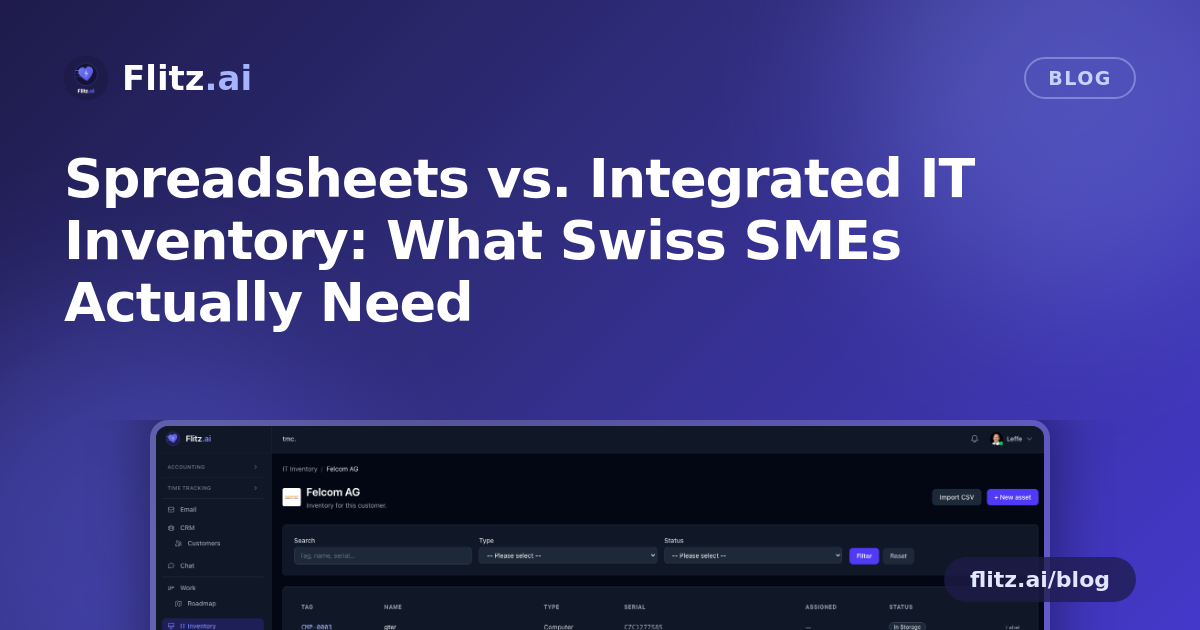
The structure starts with something simple but important: every customer has their own inventory. Laptops, monitors, phones, licences — all scoped to the customer they belong to, so there's no mixing records across clients and no guessing whose device is whose.
Getting data in without re-typing everything
If you already have a spreadsheet, you don't have to abandon it — you can bulk-import it as a CSV, with column aliases recognised in both German and English. That matters for Swiss businesses working across language regions, where "Seriennummer" and "serial number" might both show up depending on who built the original file.
Labels that actually resolve to something
Once assets are in the system, you can print branded 62×29 mm labels (Brother QL format) with a clean, legible layout and the customer's logo on top. Each label carries a QR code tied to a public scan endpoint: scan it as someone inside your tenant, and you land straight on the asset record. Scan it as an outsider, and you see a minimal public card — enough to identify the device, nothing sensitive exposed.
Live telemetry instead of static guesses
This is where the comparison with spreadsheets really breaks down in Flitz's favor. Through the built-in Action1 integration, each customer's managed computers sync in automatically, hourly, matched to existing assets by MAC address and serial number. That means live OS version, CPU, RAM, IP address, and last-seen timestamp — not a note someone wrote down six months ago.
On top of that, patch and vulnerability data comes straight through: missing critical updates per device, and the open-CVE count per customer, each one linking directly to patch management or a one-click remote desktop session. You find out a device needs attention, and you can act on it, without switching tools.
Self-service for the customer
Customers aren't locked out of their own data either. Through their portal, they can filter, search, create, and edit their own device records — reducing the back-and-forth emails that used to eat up time on both sides.
Where the Trade-offs Actually Sit
To be balanced about it: an integrated system asks for a bit more upfront setup than opening a blank spreadsheet. You need to import your existing data, connect Action1 if you want live telemetry, and get used to a new place to look. For a one-person operation with three laptops, that setup might not pay for itself.
But for any Swiss SME or fiduciary managing IT across multiple customers, the equation flips quickly. The hours saved on manual updates, the vulnerabilities caught before they become incidents, and the reduction in "can you send me the list again" emails tend to outweigh the setup time within the first few weeks.
The Bottom Line
Spreadsheets got Swiss SMEs this far because there wasn't a better option that fit how small businesses actually operate. An integrated inventory, budget, and documentation system — scoped per customer, synced with live patch and vulnerability data, and backed by scannable physical labels — isn't just a nicer version of the same idea. It removes the manual reconciliation that spreadsheets always demanded, and replaces guesswork with current, verifiable facts about every device you're responsible for.