
The Swiss SME Communication Checklist: Is Your Team Setup Costing You Time?
Run your business communication through this quick self-assessment. If you tick fewer than five boxes, your team is likely losing hours every week to scattered messages and missed updates.
Most Swiss SMEs don't have a communication strategy. They have a patchwork: WhatsApp for quick questions, email for "official" things, a shared drive nobody updates, and maybe a video call tool that requires three clicks and a login nobody remembers. It works, until it doesn't — until someone misses an urgent client message because it was buried in a WhatsApp group, or a new hire spends their first week just figuring out where information lives.
Before you add another tool to the pile, run your business through this self-assessment. Be honest. Each unticked box is a leak — in time, in clarity, or in client responsiveness.
The Checklist: Does Your Team Communication Actually Work?
- Can anyone find a decision made two weeks ago without scrolling through chat history or asking around? If conversations aren't organized by topic or project, context gets lost the moment the thread moves on.
- Do urgent messages actually reach the right person — reliably, not by luck? If your team relies on hoping someone checks their phone, you don't have a notification system, you have a gamble.
- Can a new employee see who's available right now, without sending five "are you free?" messages? Status visibility shouldn't require a separate guessing game.
- Is there a clear line between "everyone needs to see this" and "this is just for the project team"? If one noisy group chat covers HR announcements, client questions, and lunch orders, important things get buried.
- Can your team jump on a call without switching apps, hunting for a link, or asking "which tool are we using today"? Every extra click before a conversation starts is friction that adds up across a year.
- Are files shared in context — attached to the conversation they relate to — or scattered across email attachments and random folders?
- Does your team get notified on their desktop, not just buried in an app they forgot to open? A missed notification is a missed deadline waiting to happen.
If you ticked fewer than five, you're not alone — but you are losing time. Studies aside, the logic is simple: every extra app, every ambiguous channel, and every "wait, who said what?" moment costs minutes. Multiply that across a team, a week, a year, and it's not a minor inconvenience anymore.
Why Patchwork Communication Fails Growing SMEs
Small teams often start with informal tools because they're free and familiar. But as a business adds staff, clients, and projects, the cracks widen. Important client correspondence gets mixed with personal chats. Nobody owns the "source of truth" for a decision. And when it's time to onboard a new employee or loop in your fiduciary, you're exporting chat logs and hoping for the best.
The deeper issue is that most messaging apps were never built for business structure. They don't understand departments, projects, or the difference between a quick reaction and a decision that needs to be findable in six months.
How Team Chat Ticks These Boxes Automatically
Flitz Team Chat is built directly into the platform your business already runs on — no separate login, no extra subscription, no app-switching. It's designed to close exactly the gaps most SMEs struggle with:
Structure, not noise
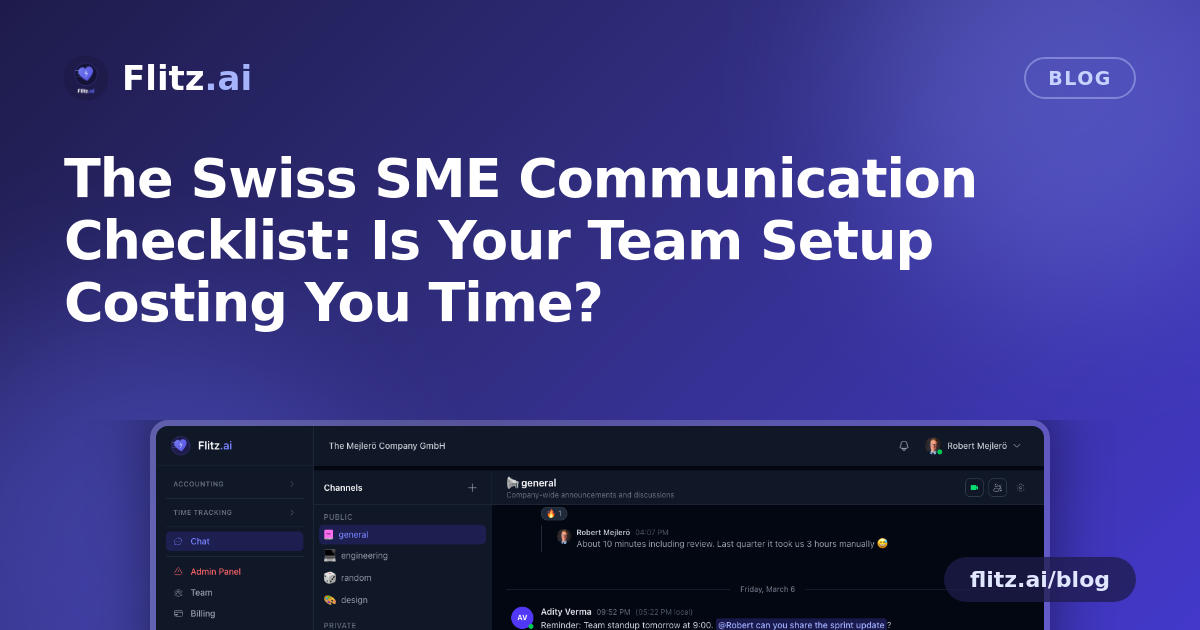
Public and private channels keep conversations organized by team, project, or client, with threaded replies so discussions don't bury each other. Anyone can trace how a decision was reached, weeks later, without asking around.
Nobody misses what matters
@mentions make sure the right person is pinged directly, while reactions and an emoji picker let the team acknowledge messages without cluttering the thread with "ok, got it" replies.
Availability, visible at a glance
Online/offline status with schedule support means your team — and your clients, if relevant — can see who's actually around, without a single extra message.
Calls, without the app juggling
Integrate any online meeting provider per channel, so your team jumps straight from a conversation into a call using whichever tool you already prefer — no new accounts, no copy-pasted links.
Files where the conversation is
File sharing lives inside the thread it belongs to, so documents, invoices, or designs are never disconnected from the discussion around them.
Notifications that actually reach you
The native desktop app delivers OS-level notifications and a dock badge, so messages surface where your team is already working — not in a forgotten browser tab.
Run the Checklist Again
Go back through the list above. With channels replacing scattered group chats, mentions replacing guesswork, and calls built into the same place as the conversation, most Swiss SMEs find they can tick every box — without adding a single new tool to their stack. That's the real test of good communication infrastructure: it should disappear into the background, not become another thing to manage.
The goal isn't more messaging features. It's fewer places your team has to look to get work done.