
From Stale WordPress to a Living Website: A Step-by-Step Guide for Swiss SMEs
Still paying for a website that nobody dares to touch? Here's a practical, step-by-step plan to move your site into the same workspace as your books and CRM.
If you run a small business in Switzerland, chances are your website lives on an island. It sits on WordPress, Webflow or Squarespace — a separate login, a separate bill, and often a separate person who is the only one brave enough to touch it. Meanwhile your invoices, customers and deals live somewhere else entirely. The result: a site that goes stale, a marketing budget nobody tracks, and leads that fall into an inbox instead of your CRM.
Here is a practical, step-by-step path to fix that — moving from a manual, disconnected website process to one that is automated, multilingual and connected to the rest of your business.
Step 1: Audit what your current site actually costs you
Before changing anything, list the real cost of your current setup. This usually isn't just the monthly subscription — it's the freelancer invoice every time a price changes, the hours spent fighting a drag-and-drop builder, and the leads that get typed manually into a spreadsheet instead of a CRM. Most SMEs discover the "free" or "cheap" website tool is quietly one of their more expensive tools once you count the hidden labour.
Step 2: Describe your pages instead of designing them
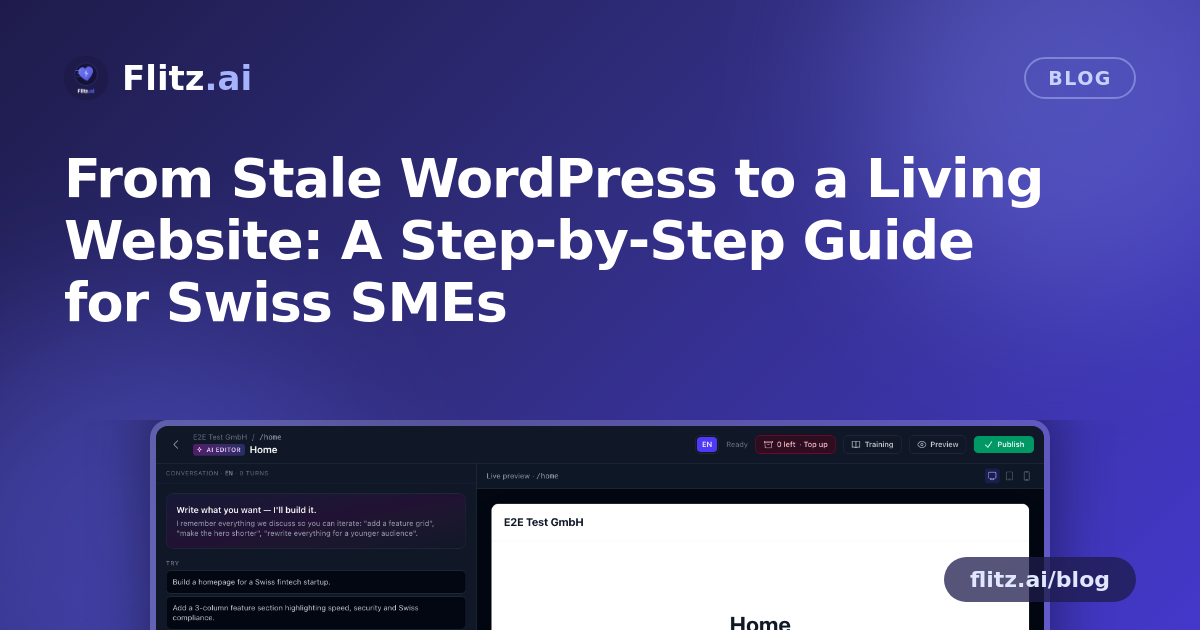
With Flitz's website and CMS feature, you don't start with a blank canvas or a grid of drag-and-drop blocks. You start with a sentence. Describe the page you want — "a services page for a Zurich-based bookkeeping firm, with pricing tiers and a contact form" — and the AI page editor generates the content blocks for you. You review, adjust the wording, and publish. There's no builder to wrestle with and no layout to fight.
Step 3: Let the AI blog writer handle the content you've been postponing
Most SMEs know they should publish blog posts regularly for SEO, but it's always the first thing that gets dropped when things get busy. Give the AI blog writer a topic and it drafts the full post. If you serve customers in German, French, Italian or English, you can translate the same post into every locale in one click — no need to brief a translator or copy-paste between tools.
Step 4: Move to your own custom domain
Add your existing domain, verify it by DNS, and Flitz serves your site on it with automatic HTTPS. There's no need to migrate hosting providers or touch your domain registrar beyond adding a DNS record. Your company keeps its own web address — this isn't a subdomain or a "powered by" badge situation.
Step 5: Let multi-language and SEO defaults work in the background
Every page and post is translatable per locale, with navigation that adapts automatically to the visitor's language. On the technical side, Flitz generates sitemap.xml, robots.txt and llms.txt, and applies site-wide SEO meta defaults — the groundwork that normally requires either a plugin graveyard or a specialist. You don't need to configure this; it ships ready.
Step 6: Connect your lead forms to your CRM — literally
This is the step that changes daily operations the most. Embed a capture form on any page, and submissions create leads directly in your Flitz CRM — no export, no manual re-entry, no forgotten spreadsheet. Combined with the built-in media library, redirects and themes, you can manage the entire front end of your business without leaving the platform where your customer data already lives.
Step 7: Check the boring-but-critical boxes: speed, uptime and privacy
The public site is rendered server-side and HTML-cached, so pages load quickly and stay online even under traffic spikes. On privacy, Flitz uses cookieless page-view analytics paired with a GDPR-compliant cookie-consent banner, and — like every module in Flitz — your site's data is tenant-isolated. You get visitor insights without the compliance headache of a heavier analytics suite.
Step 8: Decommission the old subscription
Once your new site is live on your domain, with content migrated and forms tested, you can cancel the old hosting plan, the page-builder seat, and whatever plugin subscriptions were keeping the old site alive. That's one less login for your team to remember and one less invoice for your bookkeeper to reconcile.
What to expect at the end of this process
You end up with a company website that isn't a separate project anymore — it's a module next to your accounting, invoicing, banking, CRM and HR data. Updating a page takes a sentence, not a ticket to a developer. New leads land in your pipeline automatically. And the site itself finally reflects the business as it actually runs today, not as it ran when someone last had time to update it.
The point isn't a prettier website. It's a website that lives next to the data it should reflect — and stops being a separate thing you have to manage.
A quick checklist before you migrate
- List every page and blog post you need to keep, and group them by priority
- Identify which languages your current audience actually needs
- Note your current domain registrar login, since you'll need to add a DNS record
- Check what lead forms exist today and where those leads currently end up
- Confirm which other subscriptions (hosting, builder, plugins) you can cancel afterward
Moving your website off its own island isn't a redesign project anymore — it's a few focused steps you can do alongside the rest of your Flitz setup, without hiring an agency or learning a new tool.